Car infotainment - touch faults
The first real cold snap is when it starts: you aim at Navigation, the deck opens Radio, and the further you get from the middle of the glass, the wider the miss. It isn't automatically a dead panel, and plenty of these recover as the cabin warms.
Drift gets used for everything from a soft corner to a strip of glass that ignores you, and those are not the same fault. Two of the three are cheap and reversible to rule out. The third isn't. Get the grouping right before you spend a Saturday on the wrong one and decide the panel is rubbish.
Search around and android head unit cold weather touch response stories come back in the same three shapes. The version I hear most is a slightly wrong tap. The version that costs money is the strip that never answers. So which have you got?
| Shape | What you actually see | What to test first |
|---|---|---|
| Error that fades | Taps land a centimetre or so to one side while the car is cold, and the gap narrows once the heater has run for ten or fifteen minutes. | Test the same three spots cold, then again warm. An error that shrinks is a sensing question rather than a broken part. |
| Error that stays put | The same spots miss the same way at minus five and at plus thirty, so the whole picture sits a millimetre or two off from where you press. | Look for a touch calibration routine in your build and run it. A fixed, directional offset is what that routine exists for. |
| A band that ignores you | One strip or one corner stops answering, or a press registers somewhere else on the glass entirely, warm or cold. | Draw one slow line across the screen with a dry finger. A strip that never answers points at the panel or its connector. |
That last column is what to test, not what it means. Temperature is the usual suspect, but alignment and a dead strip can sit on one screen at once, so the order you test them in is what saves the afternoon.
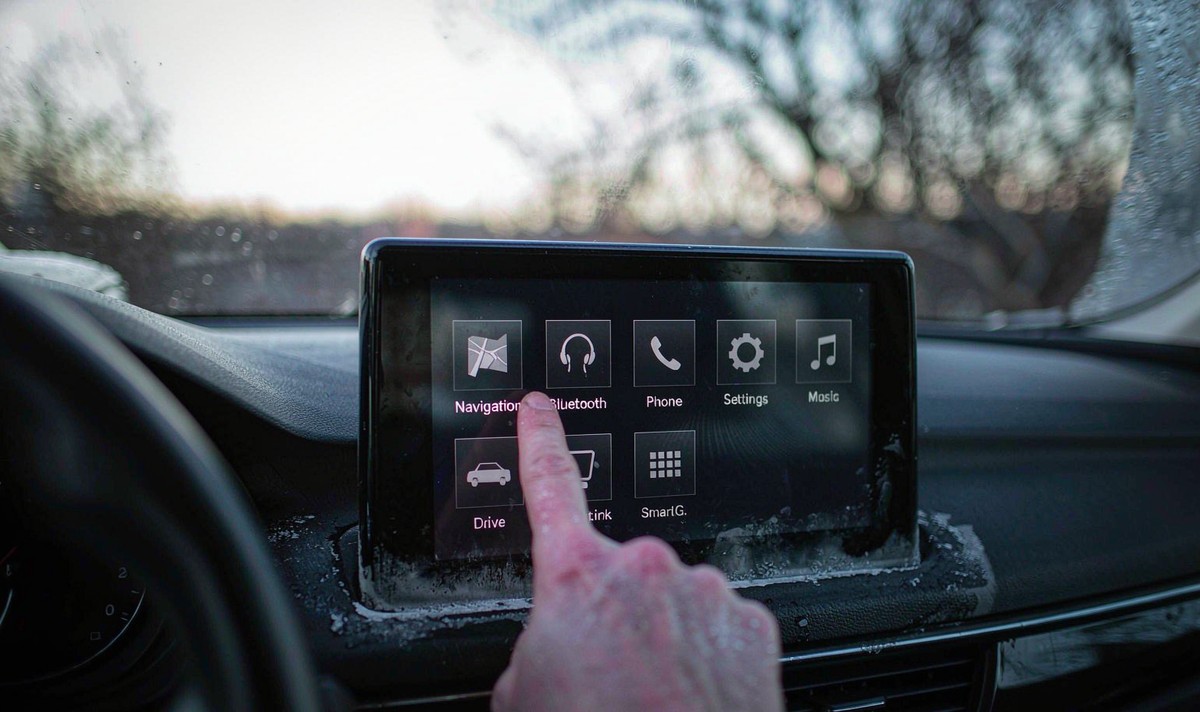
The car screen in your dash uses one of two sensing methods, and they drift for different reasons. One of them has a routine that answers a mis-tap. The other doesn't. So why does a cold snap land so hard?
The common method on a modern deck is capacitive: a transparent sensing layer under the glass, with a controller measuring how much your finger changes the tiny capacitance at that point. Temperature and humidity move that raw reading, so the controller keeps a moving reference - the trade calls it a baseline - by low-pass filtering its own counts and following the slow drift. Infineon's CAPSENSE design guide states the limit plainly: the baseline tracks gradual change, and it cannot compensate a sudden temperature change, because a fast enough shift looks to the controller like a finger. A car left at minus six all night and then started is exactly that sudden step.
The other method is resistive. Two transparent resistive layers sit apart on tiny spacers, and the controller reads a voltage divider where they meet. Your finger's coordinates and the picture's coordinates live in different systems there, and the two rarely line up perfectly. TI's note on calibration in touch-screen systems puts the error sources in three buckets: electrical noise, scaling between panel and display, and mechanical misalignment - the panel sitting slightly rotated or offset against the glass. Scaling factors vary from part to part, which is why a calibration routine exists at all. Resistive panels were the norm on a retrofit android head unit for older car build, and those do lean on that step. A capacitive panel has no divider to align, so a calibration menu isn't always there to find.
Water matters too. Humidity is the second quantity that shifts a capacitive reading, and cold mornings are when you meet it: the glass is the coldest surface in the cabin, so your breath leaves a film on it. That film changes what the panel senses before you've touched anything.
Two tools fix two different errors, and neither covers the whole complaint - which is the frustrating part, because there is no switch marked cold weather.
Calibration aligns the panel to the display - scaling and mechanical misalignment - so it answers an offset that sits there all year. The baseline absorbs gradual temperature and humidity drift, and by design it can't follow a sudden step, so it answers a cold-morning error that fades.
Neither tool looks at the ribbon connector behind the screen, and neither revives a sensing layer that has failed. I'd start by working out which layer you're in, and that's the next section.
Three tests, all free, all done parked with the engine off. Run them in this order and you'll know which half of the problem you're in before you open a menu.
Test your three spots cold, then give the cabin ten or fifteen minutes of heat and test them again. Measure the miss on each pass - does it shrink, hold its size, or jump to the other side of the button?
Dry hands, dry microfibre, nothing else on the glass. If a protector film is fitted, peel it and test again - an air gap or moisture under a film changes what the panel senses, and undoing that costs nothing.
Use the controls that aren't the glass. If an android car radio with steering wheel controls still answers the wheel buttons, the volume knob and the hardware home key while your taps miss, the board behind the screen is awake.
Skipping that cross-check is the common mistake, and it splits a touch-layer fault from a whole-unit fault in about ten seconds. A deck that boots, plays and takes its hardware presses has a working main board. What's left is the sensing layer, the controller reading it, or the cable between the two.
Park up first. Poking at a screen that puts your taps where you didn't aim is a silly risk at speed, and the annoying part is that it isn't your mistake. Two minutes in a lay-by beats that trade.
Start with the routine, if your build has one. Some decks hide a touch calibration screen in a factory or engineering menu; some never expose one. Whether yours does is a firmware question for your model, not something you can read off the box. Where a routine exists, it walks you through a few targets, and afterwards you test the same three spots. Same spots, or you've learned nothing.
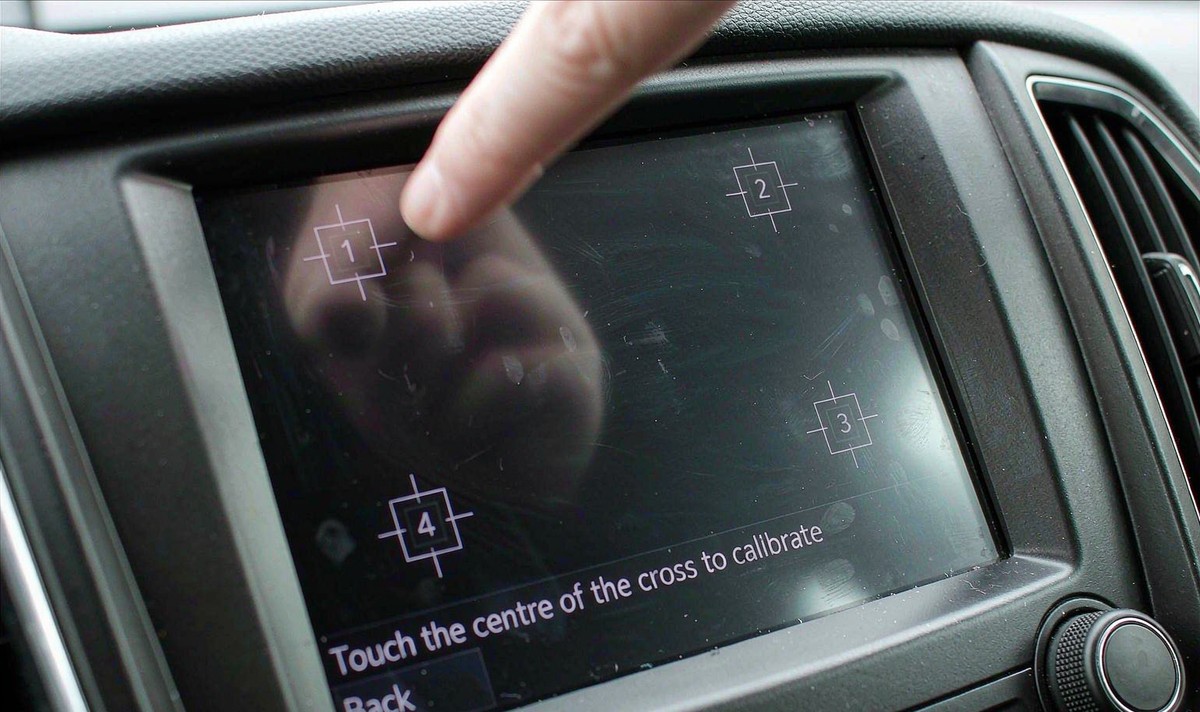
With no routine, or one that won't take, the steps left are a restart and then a factory reset. A reset wipes your saved settings, so back up offline maps and stored places first - and don't expect it to move a misaligned panel. It clears data. It doesn't realign glass.
A firmware update is worth one look, from the maker's file for your exact model. It can fix an input driver carrying a bad scaling constant, and it does nothing for a connector that has worked loose. After that you're out of settings. That's the honest end of the free list.
What no setting reaches: a strip of glass that never answers, an offset that keeps the same size whatever the temperature reads, or a calibration that completes cleanly and changes nothing. Those point at hardware - the sensing layer, the controller chip on the panel's flex cable, or the small ribbon connector where that cable meets the main board. A cold car works that connector hard, and a latch that isn't seated gives you an error that tracks the temperature. That's the pattern I hear misdiagnosed as a cold-weather fault.
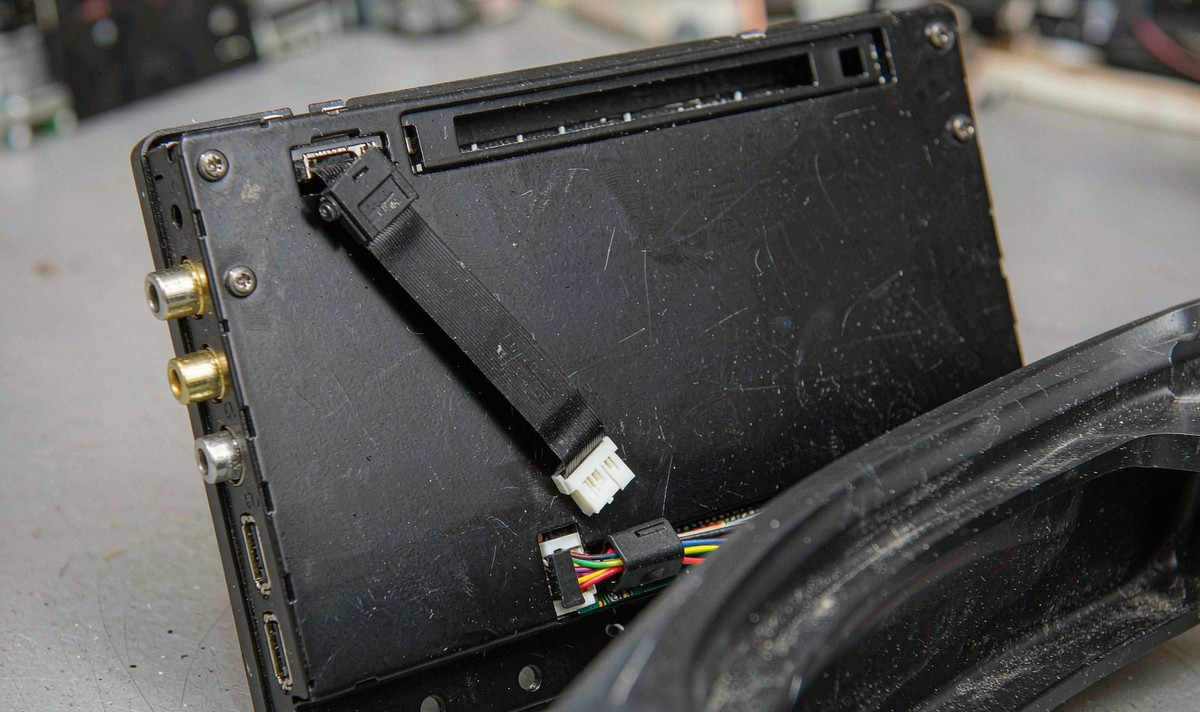
For most owners that is where the DIY line sits. Reseating that ribbon means pulling dash trim and unplugging the deck, and on a unit inside its warranty, opening it is a poor trade for a test you can run from the driver's seat. If I were chasing this one, that's a conversation before any parts order.
Work down the list and stop the moment the aim comes back. Warm the cabin, then retest the same three spots. Dry the glass and your hands. Peel a protector film. Cross-check the wheel buttons and the knobs. Run the calibration routine. Restart. Then reset. Then a firmware update, then the connector, and only then a part.
I'd take a ten-minute warm-up test over a dash strip-out any time. It's free and reversible, and it tells you which half of the problem you're in. What I see on cars that come in is that it usually turns out to be the first kind, and the owner has often already spent an evening in menus that were never going to help.
One limit is worth saying out loud. A sensing layer that has failed, or a ribbon that has broken, doesn't care what the temperature is. If the offset is there in July and looks the same in January, temperature was never the cause - the cold only got you to notice it.
The layer all of this applies to is the retrofit Android deck, and the family those sit in here is the universal one and two DIN head units. Which builds expose a touch calibration routine is a firmware and model question, not a spec you can read off a category page.
Everything above is free to try. If the aim is still off with the cabin warm and the glass dry, and a calibration won't take, then you're down to the panel and its connector - and if your unit is still in warranty, the terms are the place to start rather than a parts order.
Read the warranty termsZhuhai WITSON Industrial Co., Ltd. - Tel: +86-756-8120312, 8120211, 8120212.
Yes, and there's a mechanism behind it rather than folklore. Temperature and humidity shift the raw reading a capacitive controller works from, and its baseline only follows slow movement - a fast enough change looks like a touch. That's why the first minutes after a cold start are the worst of it.
Until the cabin is at normal temperature and the glass is dry, then test the same spots you tested cold.
That's a build decision rather than a fault on its own - a capacitive panel has no two-layer divider to align, so a routine isn't always included. Check the manual and any update note for your exact model, then lean on the free checks above instead. An offset that survives all of that is a panel or controller question.
It can contribute, which is why peeling it is the cheapest test you'll run. An air gap, a film that doesn't sit flat, or moisture trapped underneath changes what the panel senses. Peel it, wipe the glass, retest the same spots. If nothing changes, you've ruled it out for free.
Not on its own. If the error shrinks as the cabin warms and disappears in summer, the panel is behaving like a panel and temperature is the trigger rather than the damage. The pattern that does point at worn hardware looks different: a fixed band that never answers, or the same offset at every temperature.