

Upgrading your BMW E90's screen transforms the driving experience by adding modern features like Apple CarPlay and Android Auto. The process involves choosing between two main options: a full Android-based head unit that replaces the factory screen, or an MMI (Multi-Media Interface) box that integrates with your existing display. The most critical first step is identifying your car's iDrive system—either CCC or CIC—as this determines which upgrades are compatible.
Before you can choose a BMW E90 screen upgrade, you must know which iDrive system your car has. This is the single most important factor for compatibility. Most E90 models came with either the older Car Communication Computer (CCC) or the newer Car Information Computer (CIC). Aftermarket units are designed specifically for one or the other, so a mistake here can be costly.
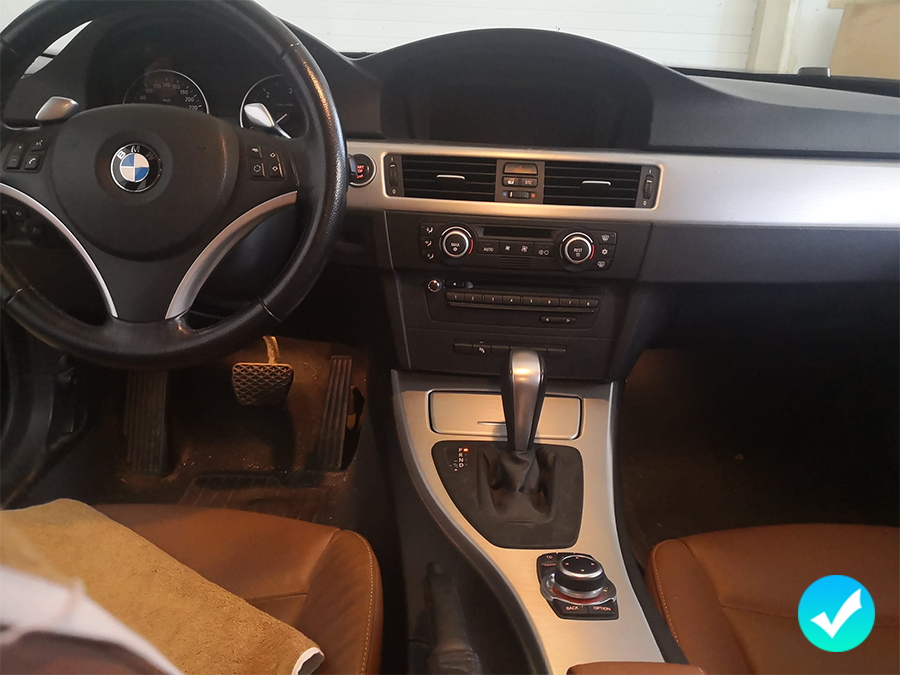
Identifying your system is straightforward. The most obvious difference is the user interface. The CCC system features a vertical, list-based main menu, while the CIC system uses a more modern, grid-style or icon-based menu. The physical iDrive controller knob in the center console is also a key indicator; CCC controllers typically have a single 'MENU' button, whereas CIC controllers have several shortcut buttons surrounding the knob (e.g., CD, RADIO, NAV, TEL).
Understanding this distinction is the foundation of your upgrade journey. It not only dictates which head units or MMI boxes will work but also affects the installation complexity and the features you can expect. Choosing a product designed for a CIC system when you have a CCC will simply not work, as the connectors and software protocols are entirely different.
| Feature | CCC (Car Communication Computer) | CIC (Car Information Computer) |
|---|---|---|
| Typical Model Years | Approx. 2004-2008 | Approx. 2009-2013 |
| Main Menu Interface | Vertical list format | Grid or icon-based view |
| iDrive Controller | Usually one 'MENU' button | Multiple shortcut buttons (NAV, TEL, etc.) |
| Map Data | DVD-based | Hard drive (HDD) based |
Once you've identified your iDrive system, you face the main decision: replacing the entire screen with an Android unit or enhancing the factory system with an MMI box. Each approach has significant pros and cons that cater to different priorities, from OEM integration to feature flexibility.
A full Android screen is a complete replacement for your factory display. These units are essentially Android tablets shaped to fit the E90 dashboard, offering a larger, high-resolution touchscreen. They run a full version of Android, allowing you to download apps from the Google Play Store, use navigation apps like Waze or Google Maps natively, and stream media directly on the device. However, their integration with the car's original functions can sometimes be less seamless.
An MMI CarPlay box, on the other hand, is a module that works with your existing screen and iDrive system. It doesn't replace any factory hardware but instead intercepts the video signal to display the Apple CarPlay or Android Auto interface on your original screen. You switch between the native iDrive menu and the new interface with a long press of a button. This option is often praised for maintaining the OEM look and feel and can offer superior audio quality by integrating directly with the car's MOST fiber optic system.
| Feature | Full Android Head Unit | MMI CarPlay Box |
|---|---|---|
| Screen | Replaces OEM screen with a larger, HD touchscreen | Uses the original factory screen |
| Operating System | Full Android OS (can run any app) | Interface for Apple CarPlay & Android Auto only |
| OEM Integration | Can be clunky; switches between OEM and Android modes | Excellent; retains all factory functions seamlessly |
| Audio Quality | Typically uses the AUX input; quality can vary | Often uses MOST bus for high-fidelity, lossless audio |
| Installation | More involved; requires replacing screen and routing more cables | Generally simpler; installs behind the dash without screen removal |
| Cost | Moderate to High | Moderate |
The market for E90 screen upgrades is filled with various brands, each catering to different needs and budgets. Your choice will depend on whether you prioritize OEM stability, best-in-class audio, or the feature-rich environment of a full Android system.
For owners seeking an OEM-style upgrade that prioritizes stability, a Linux-based system can be an excellent choice. One such option is an 8.8-inch widescreen display designed as a direct-fit replacement for E90 models with the CIC system. Unlike Android units, these Linux systems focus on core functions like CarPlay and Android Auto with rock-solid performance and a factory appearance. You can explore specifications for this CIC system upgrade to see if it's the right fit for maintaining an OEM look while adding modern tech.
If audio quality is your absolute top priority, an MMI box like those from Mr12Volt is frequently recommended in enthusiast forums. These units are renowned for integrating with the BMW MOST bus (the fiber optic audio system), delivering superior, lossless sound quality for music and calls that AUX-based systems cannot match. This makes it a favorite among audiophiles who want CarPlay without compromising on audio fidelity.
For those who want the most features and a large, modern touchscreen, full Android units from brands like Eonon, Avin, or Belsee are popular. These systems offer extensive customization, the ability to run any app, and often come with larger screens (up to 12.3 inches). While installation is more complex and OEM integration can feel less polished, they provide a true tablet-like experience in your dashboard, perfect for tech-savvy users who want maximum functionality.
Installing a screen upgrade in a BMW E90 is a manageable task for a confident DIYer, but it requires patience and the right tools. The process generally involves dismantling parts of the dashboard and center console, so it's important to know what you're getting into before you start.
The basic installation steps include removing the dashboard trim, vents, and the original head unit/screen. From there, you'll need to connect a new wiring harness, which acts as a bridge between the car's factory connectors and your new unit. You will also need to route new cables for things like the GPS antenna, external microphone, and USB ports, often hiding them behind the glove box or trim panels. Finally, you install the new screen and reassemble everything. Testing all functions before putting the trim back on is a crucial final step.
Required Tools: You will absolutely need a set of plastic trim removal tools to avoid scratching your dashboard. A set of Torx screwdrivers (especially T20) is also mandatory for removing factory components.
Common Challenges: The most frequently cited challenge is wire management. Finding space behind the head unit to tuck the new harness and extra cables without them rattling can be tricky. Ensuring every connector is seated properly is also critical to avoid losing features like steering wheel controls.
DIY vs. Pro: If you are comfortable with basic car electronics and have a free afternoon, a DIY installation can save you several hundred dollars. However, if you are hesitant about removing dashboard components or dealing with complex wiring, a professional installation is a worthwhile investment for peace of mind.
